WalkthroughsTemperature monitoring

Temperature monitoring, from reading to response

A guided walkthrough of how OnSight records cold-storage temperatures — what happens end to end, what to look for in Command, and what to agree before rollout.

11 slides. Scroll through, or use Present to step through one at a time. Prefer the detail? Explore temperature monitoring.

1 of 11Temperature monitoring for cold storage

Walkthrough

Temperature monitoring for cold storage

See recorded temperatures, receive threshold alerts, and review the history when conditions need attention.

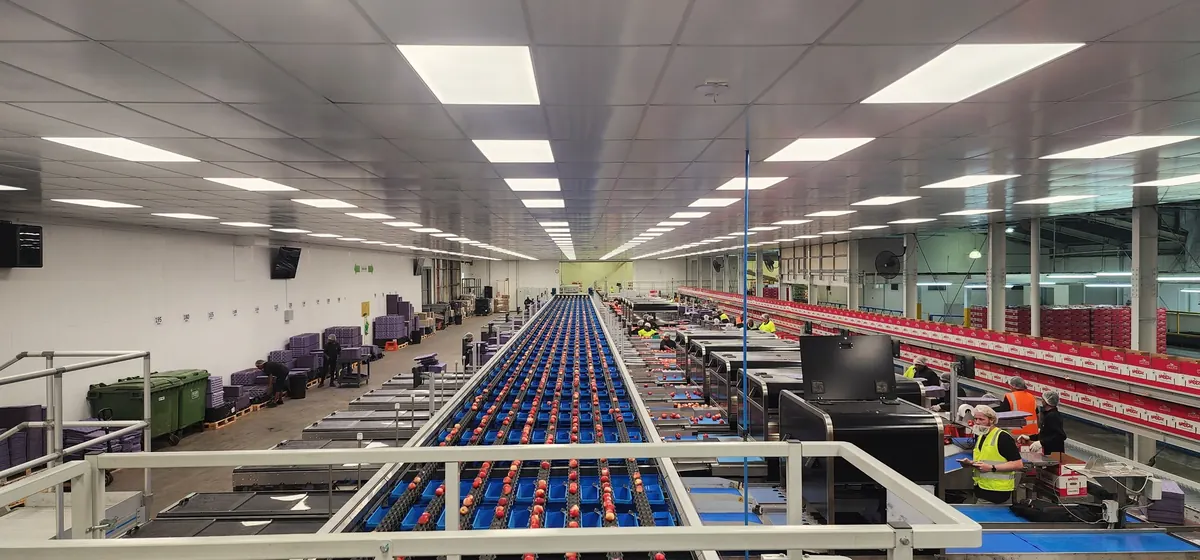
A produce packing line at FreshCo
FreshCo packing operations

Why it matters

Manual checks are hard to collect and review

Where a temperature history matters, the record-keeping is often the hard part.

  • Manual checks make the information harder to collect and review.

  • A condition that changes between checks leaves nothing on record.

  • Reviewing what happened last month means finding the record first.

Sensor coverage, reading frequency and alert settings are agreed for your site.

How it works

From a sensor reading to a response

Each reading becomes part of a history your team can act on.

  1. Measure

    A sensor measures temperature at the monitored location.

  2. Record

    The connected system sends the reading to OnSight Core to record.

  3. Alert

    A reading crossing a configured threshold can notify your team.

  4. Review

    Use Command to review recorded temperatures and investigate what happened.

Your team decides how to respond. Coverage and frequency are agreed for your site.

Read the record carefully

What a temperature record does and doesn’t establish

This is the part buyers most often assume, so it is worth stating plainly.

  • Recorded temperatures can support a review of what happened.

  • A reading records a moment. Review it with the time it was recorded, rather than as the current condition.

  • Offline storage and later delivery of readings depend on the selected hardware and integration.

  • History, retention and reporting requirements are agreed for your process.

Monitoring alone does not establish compliance.

A worked example

Follow a temperature change through to a response

Illustrative example: a cold room produces a reading outside its agreed temperature threshold.

  1. Record the reading

    The sensor system sends the reading to OnSight. Its timestamp tells the team when the temperature was measured.

  2. Notify the agreed person

    A threshold crossing can notify the configured recipient. Notification channels and any escalation need to be confirmed for the deployment.

  3. The team responds

    The responsible person checks the room and follows the site’s response procedure. Monitoring does not take that action for them.

  4. Review what followed

    Review subsequent readings and the history to understand what happened. An old reading alone cannot confirm the room’s current condition.

Illustrative workflow. The report screens below show history review; they do not demonstrate a notification channel or an automated response.

See it in Command

Compare temperatures across your cold storage

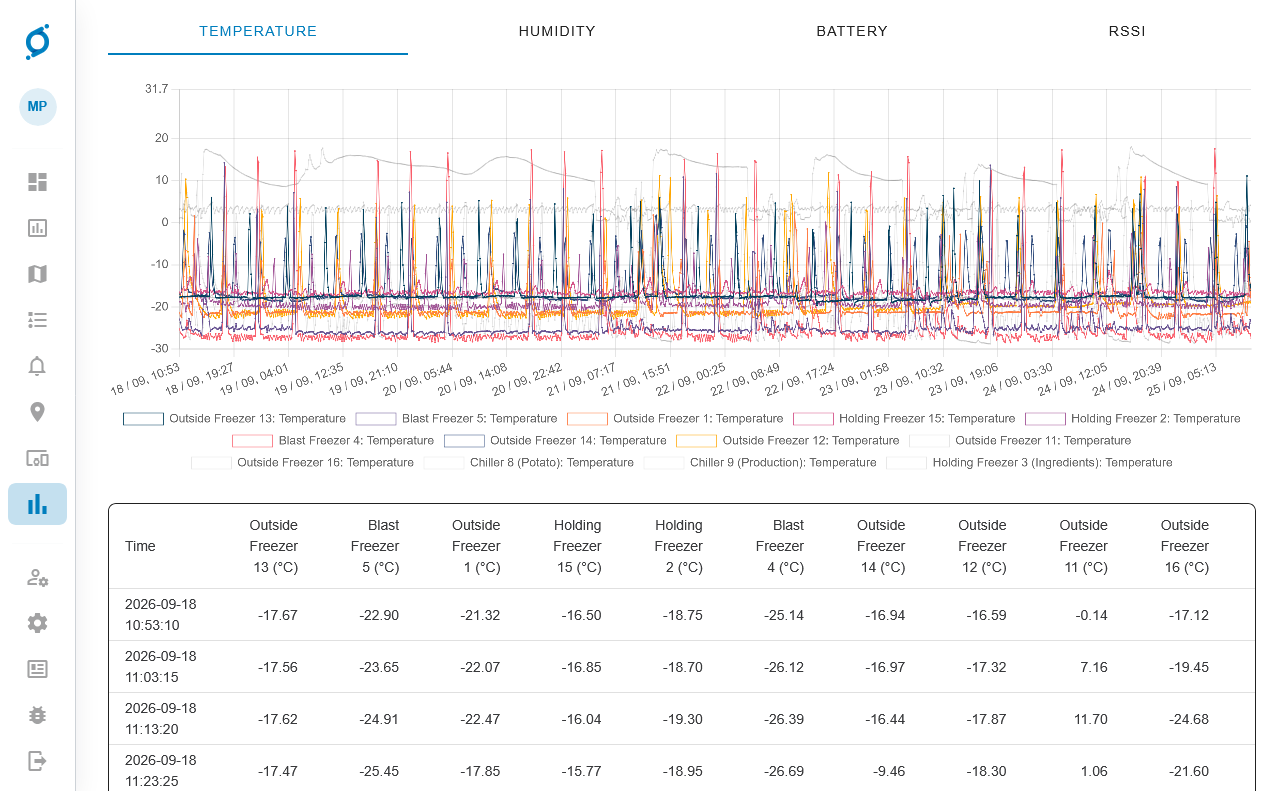
OnSight Command brings readings from multiple freezers and chillers into one report.

Follow a temperature history
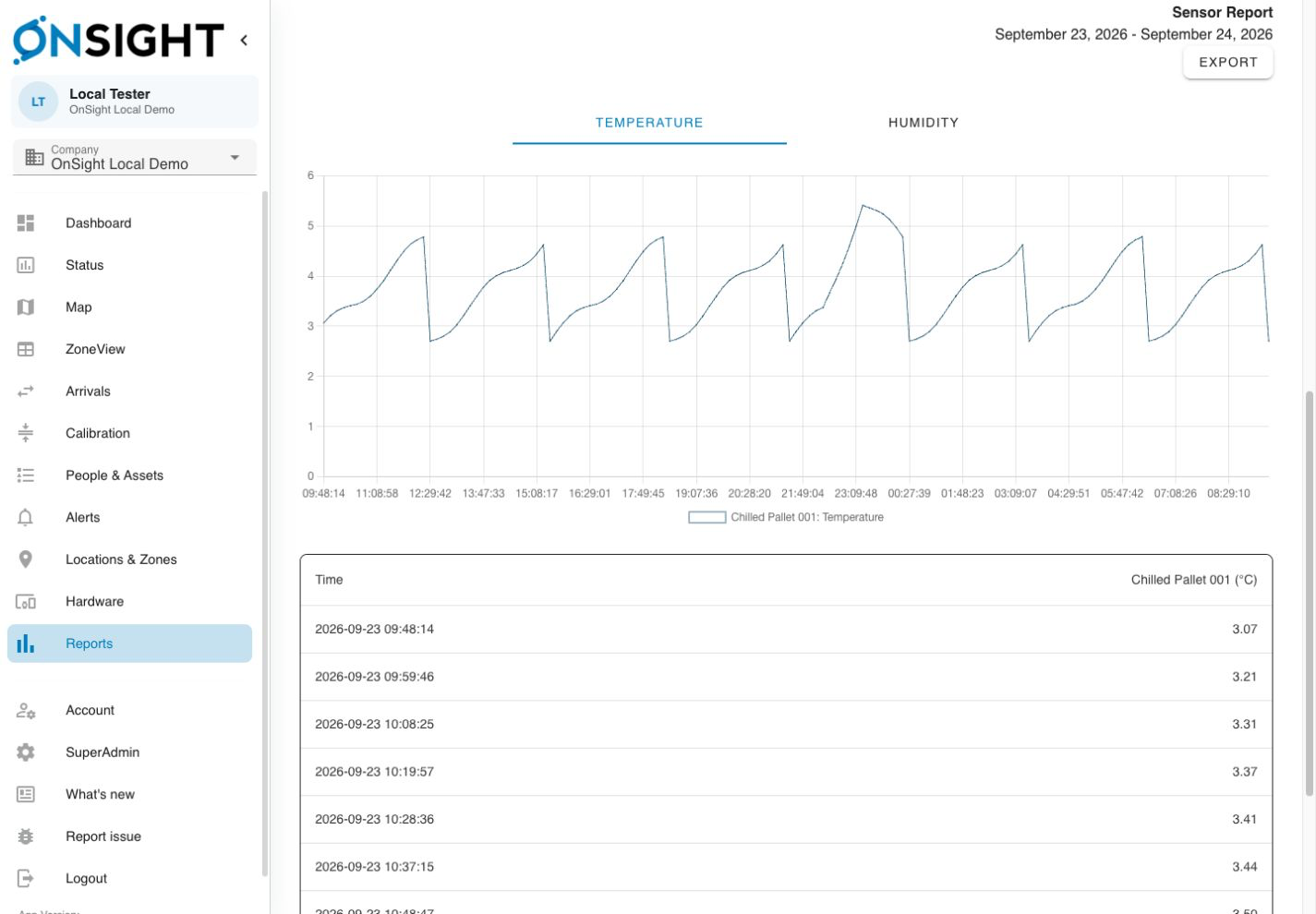
OnSight Command demo sensor report, with a temperature chart, timestamped readings and an Export control
OnSight Command sensor report. Demo data. View full size (opens in a new tab)

Follow the plotted readings to see how the temperature changed over time, then check each listed reading against its timestamp and temperature in degrees Celsius.

Compare sensors

OnSight Command sensor report comparing temperature histories for multiple freezers and chillers, with timestamped readings beneath the chart
OnSight Command temperature report across multiple sensors. View full size (opens in a new tab)

Match each plotted series to the named freezer or chiller in the chart legend, and compare their histories side by side.

Demo data, not a customer deployment. Available views and data depend on your deployment.

Choosing equipment

Plan monitoring around your site

Cold rooms, freezers and refrigerated storage have different requirements.

Temperature sensors
Temperature readings. Cold rooms, refrigerated storage and food operations.
Air or product temperature
Sensor type, placement and coverage need to be agreed for the site, including whether you need air or product temperature readings.
Calibration
Calibration requirements depend on your process and the records you need. The FreshCo deployment included calibrated monitoring for apple exports.
Reading frequency
Reading and transmission frequency depend on the selected devices and deployment. Agree the required interval and available connectivity before selecting the system.
Connected systems
Readings and events made available by an existing system. Bringing existing monitoring data into the same workflow.

Customer evidence

Temperature records for FreshCo’s apple exports

FreshCo needed calibrated temperature readings for apples being prepared for export to Japan.
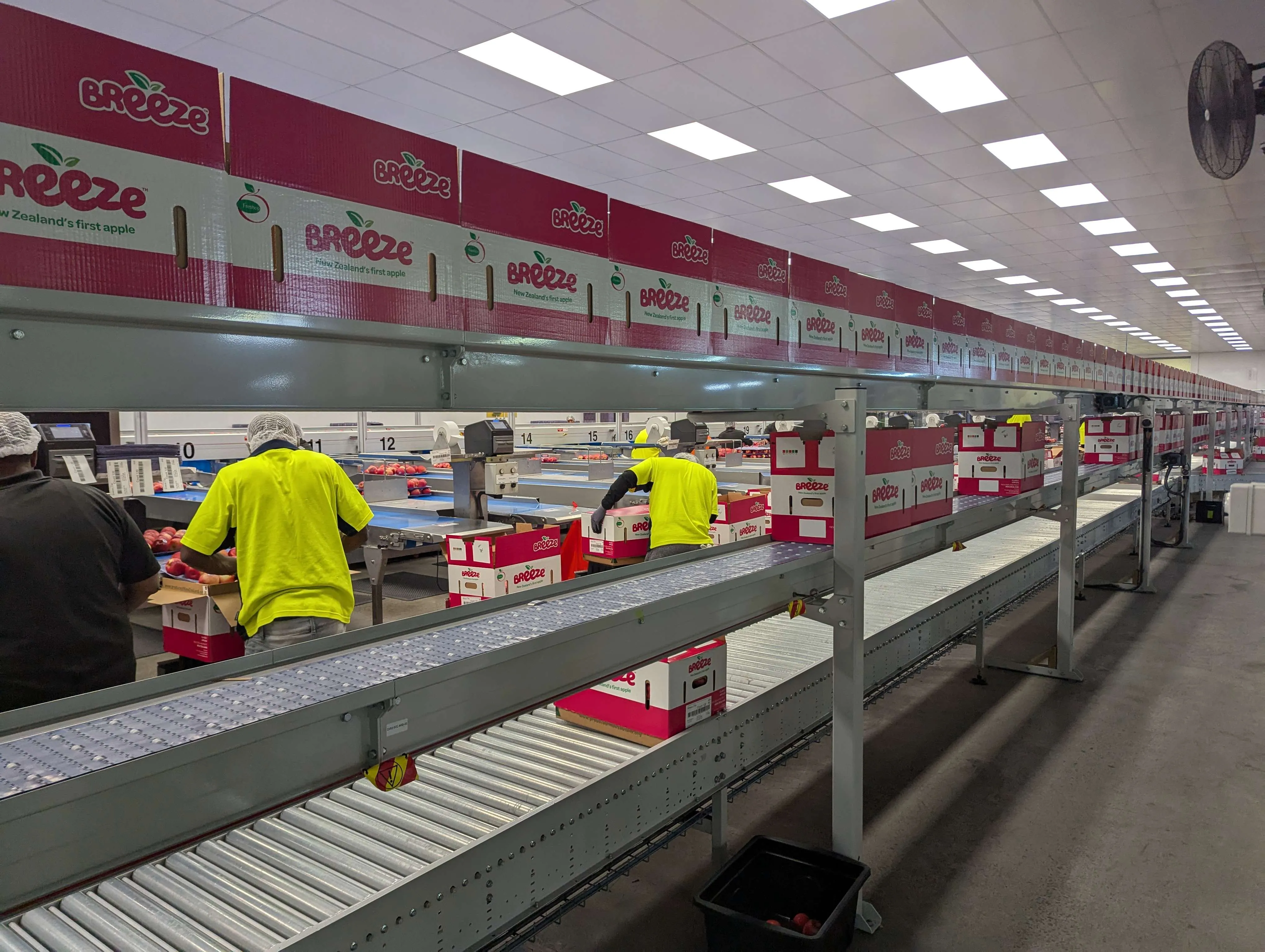
FreshCo deployment
FreshCo, a temperature monitoring with precision monitoring customer
The requirement
The team needed a recorded temperature history and a way to review sensor calibration for its export process. Manual checks made the information harder to collect and review.
The deployment
Delivered through Precision Monitoring, OnSight collects sensor readings, supports calibration workflows and alerts, and connects temperature data with SNAP packhouse software.
What the team can review
Recorded readings and past shipment history give the team a traceable record alongside its packhouse workflows. Export requirements and acceptance remain specific to the shipment and applicable rules.

Plan the deployment

Plan monitoring around your site

Choose a first area to assess. The detailed setup questions below can wait until you have agreed the need.

Start with these three questions

  • Which area or product needs a temperature record first?
  • Which temperature change needs attention, and who responds?
  • What history does the team need to review afterwards?

Agree the history, retention and reporting requirements alongside the hardware.

Optional detail

Common questions

Open the questions that matter to your site. You can return to these after the walkthrough.

Next steps

Agree a first monitoring area and a next action

Tell us about the areas or products you monitor, any existing sensors, and how your team responds to temperature changes.

  1. Name the problem and the first site or process to assess.
  2. List what needs technical confirmation before a proposal.
  3. Agree who owns the next action and when to follow up.

Agree the problem, the first monitoring area, what needs technical confirmation, and who will do what next. You do not need a finished specification.

The other walkthrough

Asset tracking records where equipment was last detected by a tag and gateway.

Asset tracking walkthrough

Get In Touch