WalkthroughsAsset tracking

Asset tracking, from detection to record

A guided walkthrough of how OnSight records equipment detections — what happens end to end, what to look for in Command, and what to agree before rollout.

11 slides. Scroll through, or use Present to step through one at a time. Prefer the detail? Explore asset tracking.

1 of 11See where equipment was last detected

Walkthrough

See where equipment was last detected

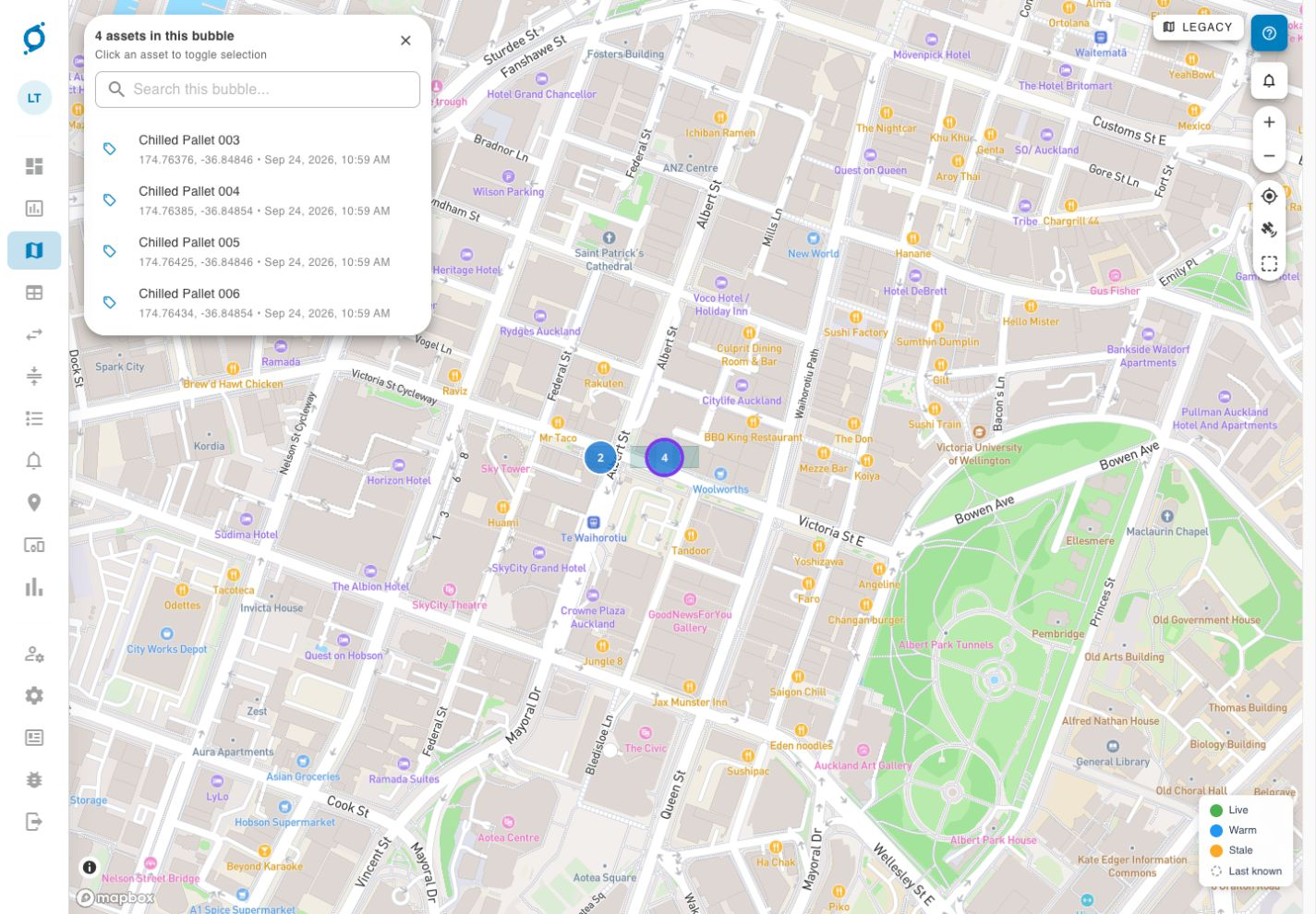
Find equipment across depots, worksites and customer locations. BLE tags and gateways record where an item was detected, and when.

Command demo map with grouped assets, detection timestamps and a last-known status legend
Command asset map. Demo screen, not a customer deployment. View full size (opens in a new tab)

Why it matters

Is it in the warehouse, on the truck, or left at the site?

That question is what a recorded detection is meant to answer.

  • Is the equipment in the warehouse, on a truck, or still at the customer site?

  • Was the right equipment delivered, and did it come back?

  • How long would it take a person to answer that today?

Equipment needs to be tagged and registered first, and gateway coverage planned for the areas that matter.

How it works

A location record starts with a detection

The tag identifies the equipment. The gateway supplies the detection context.

  1. Tag the equipment

    Attach a BLE tag and associate it with the item you need to track.

  2. Detect it nearby

    A fixed or mobile gateway detects the tag when it comes within range.

  3. Record the detection

    OnSight records the detection location and time for the asset.

  4. Check in Command

    Your team reviews the latest recorded detection and the history of detections.

Coverage, detection range and update frequency are agreed for your site.

Read the record carefully

Outside coverage, the last detection stays on record

This is the single most important thing to understand about passive asset tracking.

  • Moving equipment does not update its location on its own.

  • A new gateway detection is needed before the record changes.

  • A recorded location does not confirm that the asset is still there.

Check the recorded time as well as the location.

A worked example

Follow one pallet from receiving to dispatch

Illustrative example: Chilled Pallet 001 moves through receiving, cold storage and dispatch. Each area needs gateway coverage.

  1. Receive the pallet

    A gateway detects the registered pallet in Receiving. Command records the detection location and time.

  2. Move it into cold storage

    A gateway in Cold Store detects the pallet. That detection provides a new recorded zone and timestamp.

  3. Check before dispatch

    Review the pallet’s last recorded zone and time. A new detection in Dispatch would update the record; moving the pallet alone does not.

  4. Investigate an old record

    If Cold Store remains the last detection, check the history and investigate. The record cannot confirm the pallet is still there or prove it has left.

Illustrative workflow using the pallet shown in the demo screens below. The possible Dispatch detection is an example, not a claimed event in the captured history.

See it in Command

Find an asset, then review its recorded history

These demo views illustrate the interface. Available views and data depend on your deployment.

Check the recorded location
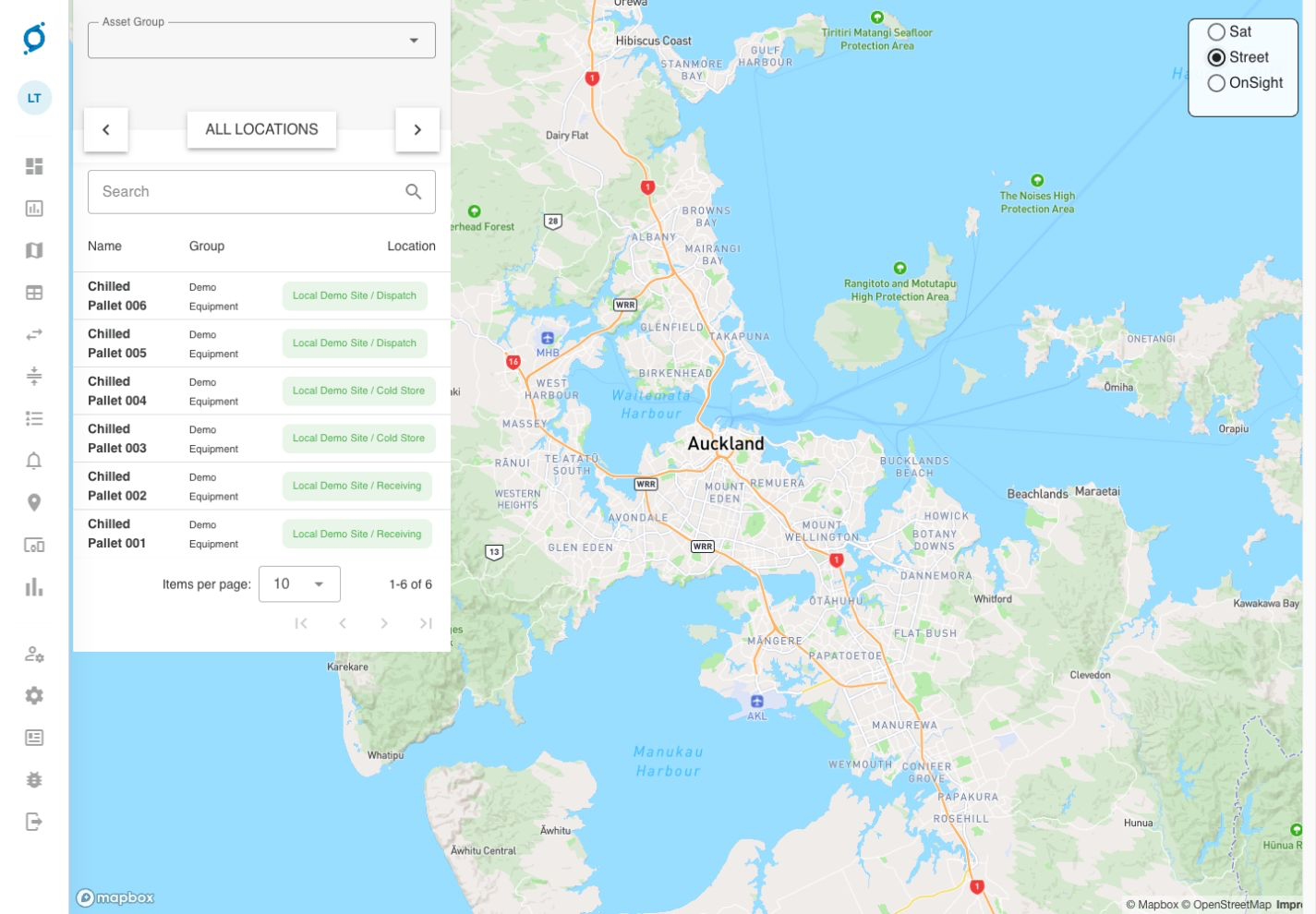
Command demo asset list showing chilled pallets assigned to Receiving, Cold Store and Dispatch locations beside a map
Command asset list. Demo screen, not a customer deployment. View full size (opens in a new tab)

Find an item in the asset list and review its recorded site or zone. A recorded location does not confirm that the asset is still there.

Group assets by where they were detected

Command demo map with grouped assets, detection timestamps and a last-known status legend
Command asset map. Demo screen, not a customer deployment. View full size (opens in a new tab)

The map groups assets by recorded zone. Match each group to the site or area it covers, and check the last-seen time before acting on it.
Review past detections

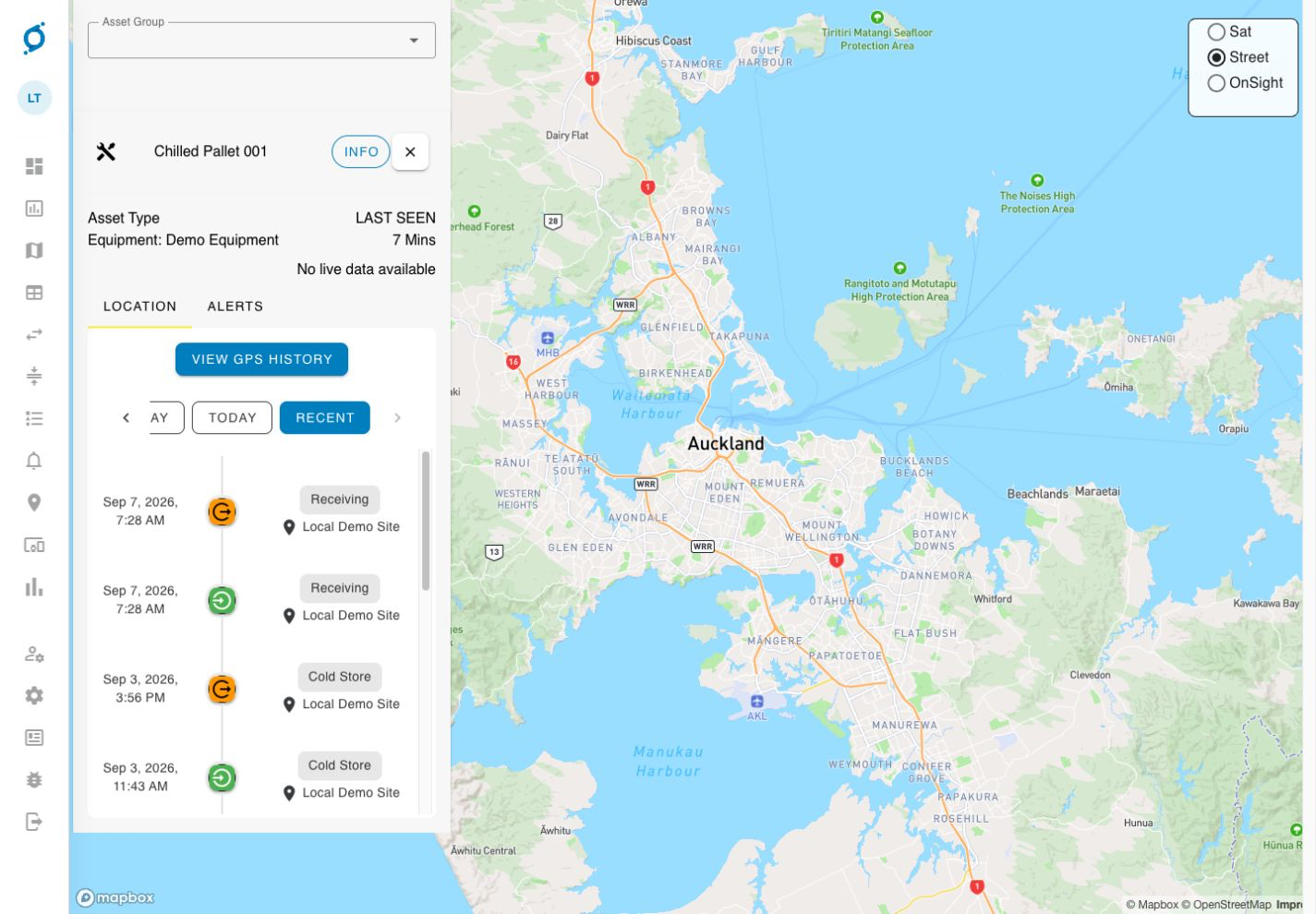
Command demo history for Chilled Pallet 001 with timestamped Receiving and Cold Store events, last-seen time and no live data available
Command asset history. Demo screen, not a customer deployment. View full size (opens in a new tab)

The history shows timestamped location events. Check the last-seen time and data status before acting. The GPS-history control shown here does not mean every BLE deployment provides a continuous GPS trail.

Demo screens, not a customer deployment.

Choosing equipment

Start with where the equipment moves

The right equipment depends on what you need to detect, the site and your existing systems.

BLE tags and gateways
The presence of a tagged asset within gateway range. Equipment across warehouses, worksites and customer locations.
Fixed gateways
Cover configured areas such as a warehouse or depot.
Mobile gateways
Detect nearby tags as they move. In the Chemdry deployment, technicians’ phones recorded nearby equipment with the phone location at the time of detection.
RFID tags and readers
A tagged item passing within reader range. Identification at doorways, gates or production checkpoints.

Customer evidence

Accounting for equipment at Super City Chemdry

Chemdry needed to account for equipment in its warehouse and out on flood-restoration jobs.
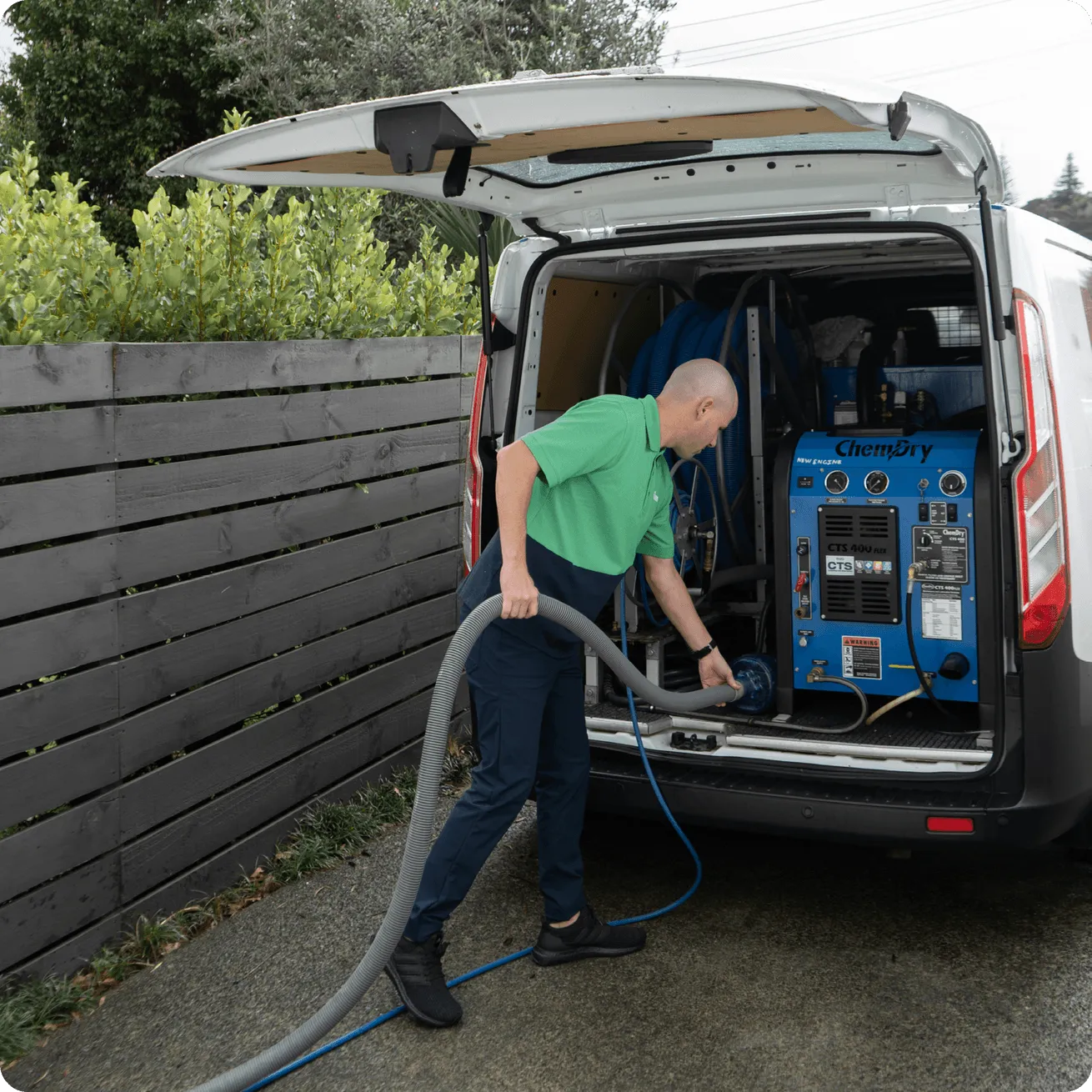
Super City Chemdry deployment
Super City Chemdry, a ble asset tracking customer
The requirement
Manual equipment records were difficult to keep accurate across multiple jobs. The team needed to identify what was available in the warehouse, what had been delivered, and what should return.
The deployment
BLE tags identify individual items. A fixed gateway detects equipment in the warehouse. Technicians’ phones act as mobile gateways, recording nearby tags together with the phone’s location at the time of detection.
The result
The team can check recorded delivery locations and compare expected equipment returns with actual returns.

Plan the deployment

Plan detection around where equipment moves

Choose one place where better equipment records would change what your team does. Keep the detailed setup questions for the next discussion.

Start with these three questions

  • Which equipment is hardest to account for today?
  • At which site or handover would a detection help most?
  • Who would act on that record, and what would they do?

Coverage, tag selection and update frequency are agreed for your site and tested before rollout.

Optional detail

Common questions

Open the questions that matter to your site. You can return to these after the walkthrough.

Next steps

Agree a first site and a next action

Tell us what moves between your sites, where items are handed over, and where your team needs better records.

  1. Name the problem and the first site or process to assess.
  2. List what needs technical confirmation before a proposal.
  3. Agree who owns the next action and when to follow up.

Agree the problem, the first site, what needs technical confirmation, and who will do what next. You do not need a finished specification.

The other walkthrough

Temperature monitoring records readings from cold rooms and refrigerated storage, with threshold alerts.

Temperature monitoring walkthrough

Get In Touch