
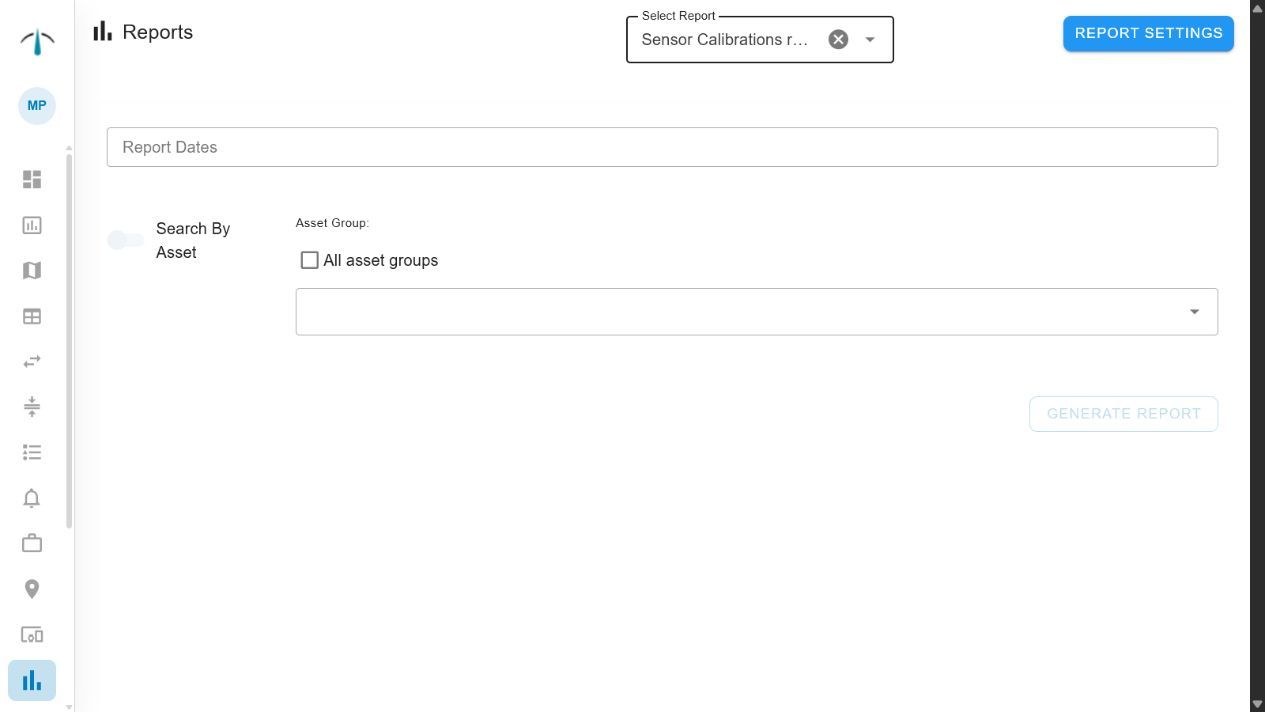
Use the calibration report filters to choose the date range and assets before generating the report.
Use the Sensor Calibrations report to create a formal cold-chain or compliance record for selected temperature assets. The report brings together the calibration period, the calibration evidence and the monitored temperature data around it, then exports the result as a PDF.
This is useful when you need to demonstrate both that the sensor was calibrated and that the monitored cold chain remained within the required conditions.
Create the report
- Open Reports and select Sensor Calibrations report.
- Select the temperature assets to include.
- Set the reporting date range.
- Select Generate Report.
- Review the calibration period and the cold-chain periods shown in the report.
- Select Export PDF once the record is correct.
The report summary identifies the selected assets and linked hardware, together with the calibration and cold-chain time windows.
Set the calibration window
Set the calibration start and finish time to match the actual calibration session. The report uses this window to show the calibration readings and evidence separately from the cold-chain monitoring record.
Make sure the selected times reflect the documented procedure. An incorrect calibration window can make an otherwise accurate report difficult for a third party to interpret.
Review the cold-chain periods
The report includes temperature charts for the calibration period and the surrounding cold-chain monitoring periods. Adjust the cold-chain start date and time where necessary so the record matches the real operational event, such as a shipment, storage period or handover.
Review the charts for each selected asset before export. Check that the asset set, calibration time and cold-chain time window describe the same operational process.
Export the evidence pack
Select Export PDF to create a shareable record for a customer, auditor, regulator or quality process. Before sharing it, verify:
- the assets and hardware shown are correct;
- the calibration window matches the completed calibration;
- the reference method and procedure were followed; and
- the cold-chain time range covers the period you need to evidence.
Command provides the data and report structure; your organisation remains responsible for the required calibration method, frequency, acceptance criteria and record-retention policy.
For the calibration procedure itself, see Use sensor calibration.